SocialBee review 2026: pricing, plans, add-ons and limits
Updated 16 Nov 2026 · prices checked 14 Nov 2026 · source
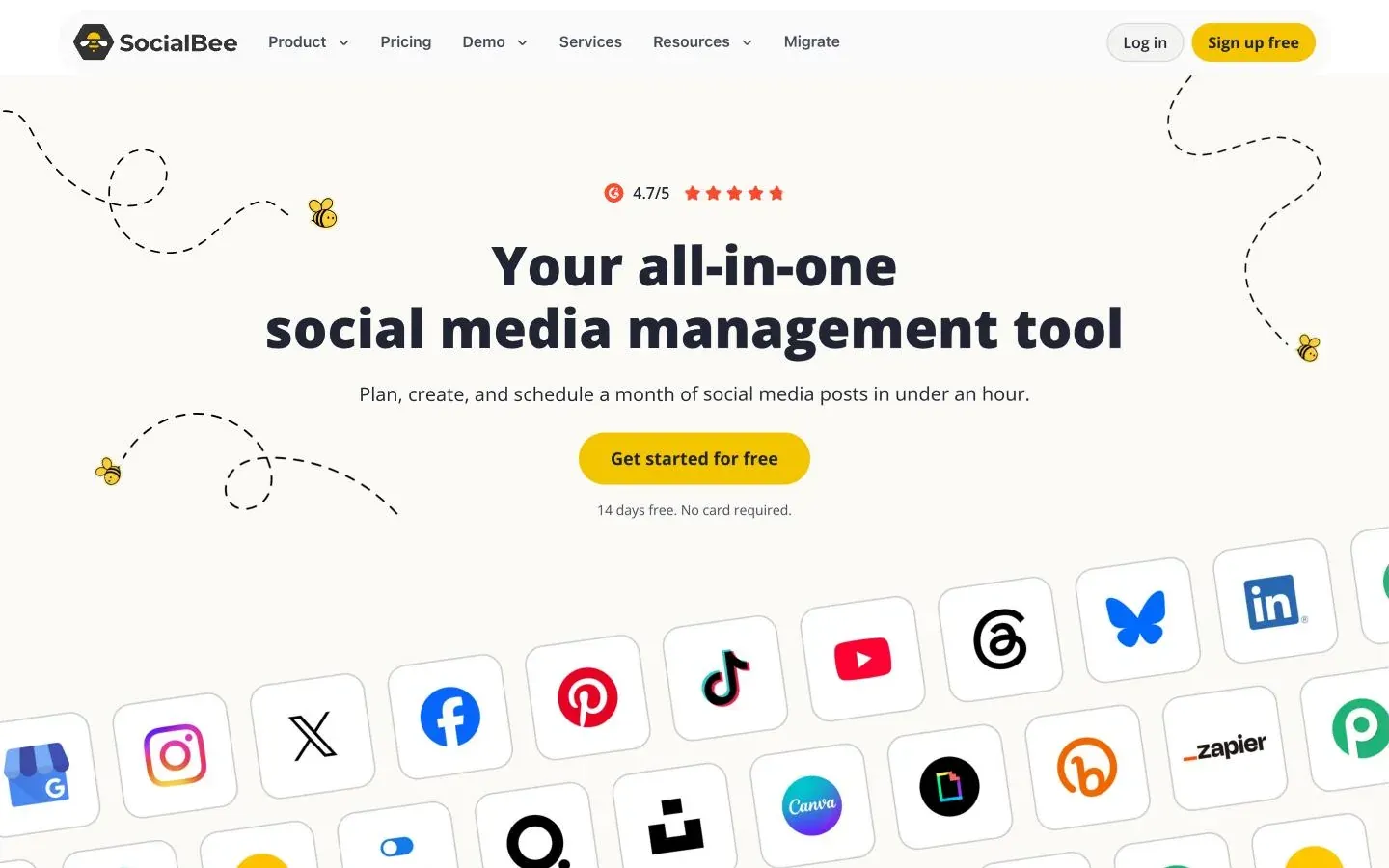
SocialBee is a good fit for a solo marketer or small business that wants a library of evergreen posts sorted into content categories, recycled on a schedule and expired by date or share count, across ten directly connected networks. Bootstrap ($29 a month, $290 a year) covers 5 profiles and Accelerate ($49, $490 a year) 10 profiles with approvals, CSV uploads and 2 years of analytics, and AI content generation is unlimited on every plan. The catch is people: both cheaper plans include 1 user and 1 workspace, so a second person costs $10 a month, and internal notes and branded report exports start on Pro ($99, $990 a year). There is no free plan and no API on the pricing page, Instagram Reels publish automatically only for Business accounts. Use the 14-day trial (no card) to check your accounts publish directly, and note the 30-day money-back guarantee covers the first purchase only.
Solo operators, small businesses and small agencies with up to 25 profiles who want category-based evergreen scheduling, unlimited AI writing and flat-priced add-ons, and who automate through Zapier, Make or Pabbly rather than an API.
Teams of two or more on a tight budget (the two cheaper plans have one user), developers who need a public API, anyone who wants a free plan, accounts that rely on Reels from Instagram Creator or Personal profiles publishing without a phone reminder, and teams that need white-label dashboards.
What it really costs
Typical setups, priced from SocialBee's own pricing page. Taxes not included.
| Setup | Plan | Monthly billing | Annual, per month |
|---|---|---|---|
| Solo creator or freelancer, up to 5 profilesBilled as $290 a year ($24.17 a month, computed; the yearly card shows $24.2). 1 user, 1 workspace, 10 content categories, 10 RSS content sources, 1,000 posts per category and 3 months of analytics. No CSV uploads, bulk editor, hashtag organizer, advanced analytics or post approval. | Bootstrap | $29 | $24.17 |
| Small business, one person, up to 10 profiles, bulk uploads and approvalsBilled as $490 a year ($40.83 a month, computed). Adds advanced analytics with 2 years of data, the hashtag organizer, bulk editor, CSV uploads and the post approval system, 50 categories and 30 content sources. Still 1 user and 1 workspace, and no internal notes or branded report exports. | Accelerate | $49 | $40.83 |
| Same small business with a second person who approves posts$49 + $10 a month, or $490 + $100 = $590 a year ($49.17 a month, computed). Internal notes for feedback on drafts are still Pro and up. | Accelerate plus 1 extra user | $59 | $49.17 |
| Small agency or team of 3, up to 25 profiles across 5 client workspacesBilled as $990 a year ($82.50 a month, computed). 3 users per workspace, unlimited categories and content sources, internal notes and branded report exports. | Pro | $99 | $82.50 |
| Same team with 30 profiles$99 + $15 a month, or $990 + $150 = $1,140 a year ($95 a month, computed). Cheaper than moving to Pro50 until you need more than about 50 profiles or 5 users per workspace. | Pro plus 1 set of 5 profiles | $114 | $95 |
| Agency, up to 50 profiles, 5 users per workspace, 10 workspacesThe yearly toggle shows $149.2 a month billed annually; the page gives no yearly total for agency plans ($1,790.40 if billed at that rate, computed). Same features as Pro. Pro100 is $329 ($274.2 yearly) and Pro150 $449 ($374.2 yearly). | Pro50 | $179 | $149.20 |
| Registered nonprofit, one person, 10 profiles, billed yearlyComputed: 50% of $49 a month, or 50% of $490 = $245 a year ($20.42 a month). The NGO page says the 50% stacks on top of the 16% yearly discount and is claimed by email, for organizations using SocialBee only for their own accounts. It shows no worked price, so confirm the amount before paying. | Accelerate with the NGO discount | $24.50 | $20.42 |
Pros and cons
Each point says how we know it: from SocialBee's own documentation, or from a hands-on test with its date.
Pros
- Evergreen handling is built in on every plan: posts live in content categories with a posting schedule per profile, and can be recycled later or expired after a number of shares or at a set date and time. Documented · source
- Ten networks publish directly on every plan (Facebook, Instagram, Threads, LinkedIn, X, Pinterest, TikTok, YouTube, Google Business Profile and Bluesky), and Universal Posting sends phone reminders for networks without API access, such as Facebook Groups, Mastodon, Reddit, Telegram, WhatsApp and Quora. Documented · source
- AI content generation for captions and images is listed as unlimited on every plan, alongside AI Copilot for building a strategy with ready-to-use posts. Documented · source
- Add-ons are flat and published: an extra user or workspace is $10 a month ($100 a year), and a set of 5 profiles $15 a month ($150 a year), so you can grow a little without changing plan. Documented · source
- Registered nonprofits get 50% off all plans, and the discount stacks with the yearly discount; educational institutions get the same 50% offer. Documented · source
- The 30-day money-back guarantee covers both monthly and yearly plans within 30 days of the first purchase. Documented · source
- The social inbox is on every plan: comments, mentions and DMs for Facebook Pages and Instagram Business, comments and mentions for Threads, LinkedIn Company Pages and X, and comments for YouTube. Documented · source
Cons
- Bootstrap and Accelerate include 1 user and 1 workspace. Accelerate has the post approval system, but a second person costs $10 a month, and internal notes start on Pro. Documented · source
- There is no free plan, and posting stops automatically when the 14-day trial ends. Documented · source
- The pricing and integrations pages list no API; automation runs through Zapier, Pabbly or Make. Documented · source
- Instagram Reels auto-publish only from Business accounts; Creator and Personal accounts get a phone notification and finish the post in the mobile app. Documented · source
- Facebook personal profiles publish by mobile reminder and Facebook Groups go through Universal Posting; only Pages publish directly. Documented · source
- Bootstrap keeps 3 months of analytics, and branded report exports start on Pro. Documented · source
- Bluesky supports text and image posts only, with up to four images per post. Documented · source
SocialBee is a social media scheduler that costs $29 a month for Bootstrap (5 profiles), $49 for Accelerate (10 profiles) and $99 for Pro (25 profiles), or $290, $490 and $990 billed yearly. There is no free plan, but every plan has a 14-day free trial with no card, and the two cheaper plans include only one user. This review draws on SocialBee's pricing page, terms, and network and feature pages, read on 2026-11-16, not on hands-on testing.
SocialBee pricing and who it's for
SocialBee suits a solo marketer or small business that wants to build a library of evergreen posts once and let it run: posts sit in content categories, each category gets a schedule, and posts can be recycled or retired automatically. One person with up to 10 profiles can stop at Accelerate. A second person means an add-on, and a team that wants to leave feedback on drafts or send branded reports to clients needs Pro.
A social profile is one connected account. The pricing page's example: 2 Instagram profiles, 1 Facebook Page and 2 X profiles count as 5.
| Plan | Monthly | Billed yearly | Profiles | Users per workspace | Workspaces |
|---|---|---|---|---|---|
| Bootstrap | $29 | $24.17 ($290 a year) | 5 | 1 | 1 |
| Accelerate | $49 | $40.83 ($490 a year) | 10 | 1 | 1 |
| Pro | $99 | $82.50 ($990 a year) | 25 | 3 | 5 |
| Pro50 | $179 | $149.2 a month | 50 | 5 | 10 |
| Pro100 | $329 | $274.2 a month | 100 | 5 | 20 |
| Pro150 | $449 | $374.2 a month | 150 | 5 | 30 |
The agency plans (Pro50, Pro100, Pro150) have the same features as Pro; only profiles, workspaces and users grow. The page gives yearly totals for the three standard plans and only a monthly figure on the yearly toggle for the agency plans.
What each plan adds
- Bootstrap: 10 content categories, 10 RSS content sources, 1,000 posts per category, unlimited AI content generation, the social inbox and 3 months of analytics.
- Accelerate: 50 categories, 30 content sources, 5,000 posts per category, advanced analytics with 2 years of data, the hashtag organizer, bulk post editor, CSV uploads and the post approval system.
- Pro and the agency plans: unlimited categories and content sources, internal notes for feedback on drafts, and branded report exports.
SocialBee yearly billing and refunds
The yearly toggle is labelled "16% off", and the pricing FAQ says annual plans are 16% cheaper than monthly; the yearly totals work out to about 16.7% ($290 against $348 on Bootstrap). You can switch between monthly and yearly, upgrade or downgrade from your account, and there are no contracts. The terms add two points:
- the 30-day money-back guarantee applies to monthly and yearly plans within 30 days of the first purchase, not to renewals, and no refunds are given after that;
- cancellations take effect at the end of the billing cycle, monthly or yearly.
Prices exclude VAT, GST and other regional taxes, which are added at checkout. The page accepts cards, PayPal and Amazon Payments.
Add-ons and discounts
- Extra user: $10 a month, or $100 a year on yearly plans.
- Extra workspace: $10 a month, or $100 a year.
- 5 extra profiles: $15 a month, or $150 a year.
- Nonprofits: registered nonprofits and NGOs that use SocialBee only for their own accounts get 50% off all plans by email, and the discount stacks on the yearly discount. Groups that aren't registered can ask for an exemption.
- Education: registered educational institutions get the same 50% off.
The pricing page still shows a birthday code that says it is "available until June 10"; it looks out of date, so don't plan around it. Add-ons are bought inside the app, not on the pricing page.
Publishing, network by network
Every plan publishes directly to ten networks and has drafts, a flexible posting schedule per profile, posting at a specific time, best-time suggestions, recycling, expiry, post variations, per-profile versions of a post, the Instagram grid preview, a scheduled first comment, alt text, post location, custom video thumbnails and tags. Bulk tools (CSV uploads and the bulk editor) start on Accelerate.
Instagram. Feed posts, carousels, Reels, Stories and collaborative posts. Business accounts publish automatically; for Reels, Creator and Personal accounts get a phone notification and finish the post in the SocialBee mobile app. Location tags are for Business profiles. If a post can't publish directly, SocialBee switches it to a mobile reminder.
Facebook. Posts, Reels and Stories, with a scheduled first comment. Pages publish directly; personal profiles get a mobile reminder and you finish in the Facebook app; Groups go through Universal Posting. The pricing table's direct posting list names profiles, pages and groups, but the Facebook page explains the three different routes, so plan on Pages only for hands-off posting.
X. Text within 280 characters, up to 4 images, and videos up to 2 minutes and 20 seconds.
LinkedIn. Personal profiles and Company Pages, per the pricing table. The LinkedIn scheduler page did not load when checked, so post types are not covered here.
TikTok. Personal and pro accounts, per the pricing table. The TikTok scheduler page did not load when checked, so post types are not covered here.
YouTube. Long-form videos and Shorts (1:1 or 9:16), each up to 5 GB, with a scheduled first comment. SocialBee says it connects through YouTube's official API.
Pinterest. Image Pins at 1000 x 1500 px, video Pins up to 10 minutes with a custom cover, and carousels of up to 5 images, posted to a chosen board with link, title and description.
Threads. Text, single images, videos and carousels.
Bluesky. Text and image posts, with up to four images, alt text and mentions.
Google Business Profile. Text updates, offers and events, images, and video from a YouTube link, with CTA buttons, expiry dates and a preview.
Universal Posting. For networks without API access, such as Facebook Groups, Mastodon, Reddit, Telegram, WhatsApp and Quora, you create the post in SocialBee and get a phone notification to post it yourself. The mobile app (iOS or Android) is required.
Planning, team and approvals
Planning centres on content categories: sort posts by topic or campaign, give each category a schedule, and let SocialBee fill the calendar. A rollout announced in October 2026 replaces Category Sequence and Random categories with active categories and retires the Next Posts view in favour of the Calendar and List views; biweekly, monthly and yearly scheduling was announced as coming later.
- Bootstrap: 1 user, 1 workspace, no approvals.
- Accelerate: still 1 user and 1 workspace, but with the post approval system and the bulk editor, which can approve drafts in bulk. A second person costs $10 a month.
- Pro: 3 users per workspace, 5 workspaces, and internal notes where you mention teammates on pending drafts.
- Pro50, Pro100, Pro150: 5 users per workspace, with 10, 20 and 30 workspaces.
Users get roles and permissions within a workspace, and workspaces keep each business or client separate. The pages read describe no white-label dashboard or client login.
Analytics and reporting
Every plan shows audience growth and demographics, profile growth, top posts and content types, and UTM and Ref parameters set per content category. Advanced analytics start on Accelerate. Bootstrap keeps 3 months of data; every other plan keeps 2 years. Branded PDF report exports start on Pro.
Analytics cover Facebook (with competitor analysis), Instagram Business, X, LinkedIn Company Pages (audience country and industry), Pinterest, Google Business (account activity), YouTube, TikTok and Threads, with post history, category and post type metrics, and a daily engagement map on most networks. The Facebook page says Facebook analytics include organic and paid reach per post.
The inbox, on every plan, covers comments, mentions and DMs for Facebook Pages and Instagram Business, comments and mentions for Threads, LinkedIn Company Pages and X, and comments for YouTube. TikTok, Pinterest, Bluesky and Google Business are not in it.
API, AI and integrations
AI. AI content generation for captions and images is unlimited on every plan, with no credit system mentioned. AI Copilot generates a social media strategy with recommended topics, posting times, platforms and ready-to-use posts. AI can also adapt one post to each network and suggest hashtags.
Integrations. Canva, Unsplash and GIPHY in the composer; Quu for content curation; Pocket and RSS feeds as content sources; more than 10 URL shorteners, including Bitly, Rebrandly, Replug, BL.INK, JotURL, RocketLink and Switchy; and Zapier, Pabbly and Make for automation.
The API. The pricing table and integrations page list no SocialBee API, and there is no developer documentation linked from the pages read. If you need to post from your own code, SocialBee isn't built for that.
SocialBee limits and gotchas
- One user below Pro. Bootstrap and Accelerate include 1 user and 1 workspace; approvals on Accelerate need a $10 add-on before anyone else can approve.
- Reminder-only routes. Instagram Reels from Creator and Personal accounts, Facebook personal profiles and Groups, and every Universal Posting network need you to finish the post on your phone.
- Check your categories. A February 2026 review on Software Advice describes a whole category halting because of one misconfigured post, with no notification. Look at the calendar after setting up categories.
- Refund window. 30 days from the first purchase only; renewals aren't refunded, and cancelling stops at the end of the billing cycle.
- Taxes on top. Prices shown exclude VAT and GST.
- Status page. SocialBee links a status page at status.socialbee.com, but it loads by JavaScript and showed no content when read.
Alternatives worth a look
- MeetEdgar: evergreen content categories recycled on a weekly schedule; Eddie covers 5 accounts for $24.91 a month billed yearly.
- RecurPost: evergreen recycling priced per account; Personal has 5 accounts for $20.83 a month billed yearly.
- SocialPilot: 15 accounts, 3 users, an inbox, analytics and approvals on Standard for $42.50 a month billed yearly.
- Sendible: unlimited users on every plan; Core has 6 profiles for $29.75 a month billed yearly.
- Publer: a free plan, pay-per-account paid plans, Mastodon and Bluesky, and API and MCP access on Business.
- PlanPost: a free plan for 2 accounts, and unlimited accounts and posts on Pro at $39 a month ($33.25 billed yearly), with an API and MCP server; 7 networks, without Pinterest, Bluesky, Google Business Profile or Mastodon.
What users report elsewhere
Recurring themes on public review sites and forums, summarised and linked. These are other people's experiences, not our tests, and we don't turn them into a score.
- GetApp: The review highlights on GetApp's SocialBee page (marked Last updated: November 2026) praise easy scheduling across several platforms, automated publishing and content organization. The drawbacks quoted are an interface some find cluttered or slow to learn, support that one European reviewer says isn't available during their daytime, and one reviewer whose account was not activated after paying with a 50% annual discount code. Read 16 Nov 2026 · open
- Software Advice: The reviews shown on the profile, most from 2021 and 2022, like content categories, evergreen posting on autopilot, RSS feeds turned into posts and bulk posts customized per network. Repeated complaints are an interface that takes getting used to. The newest review shown (February 2026) says a category stops posting when one post in it is misconfigured, with no notification and no pointer to the faulty post, and that no refund was given with 10 months of a yearly plan left. Older complaints about missing Pinterest and Instagram publishing predate the current network list. Read 16 Nov 2026 · open
Questions people ask
How much does SocialBee cost?
In USD, before tax: Bootstrap is $29 a month or $290 a year (5 profiles), Accelerate $49 or $490 (10 profiles) and Pro $99 or $990 (25 profiles, 3 users per workspace). The agency plans are Pro50 at $179, Pro100 at $329 and Pro150 at $449 a month, or $149.2, $274.2 and $374.2 a month on yearly billing. Add-ons: $10 a month ($100 a year) per extra user or workspace and $15 a month ($150 a year) per 5 extra profiles. VAT, GST and other regional taxes are added at checkout.
Does SocialBee have a free plan or a free trial?
There is no free plan. Every plan starts with a 14-day free trial with no credit card, and the pricing page says the trial gives full Pro access. Posting stops when the trial ends; your settings and content stay in place if you upgrade. After you pay, the terms give a 30-day money-back guarantee on the first purchase, not on renewals.
Does SocialBee have a nonprofit or education discount?
Yes. Registered nonprofits and NGOs that use SocialBee only for their own accounts get 50% off all plans by emailing SocialBee, and the NGO page says it stacks on top of the 16% yearly discount. Registered educational institutions get the same 50% offer. Organizations that aren't registered NGOs can ask for an exemption.
Does SocialBee have an API?
Not one you can buy from the pricing page: the plan table and integrations page list no API. Automation runs through Zapier, Pabbly or Make, so posting from your own code is not something SocialBee offers on its pages.
Sources
- SocialBee: Pricing (plans, comparison table, add-ons and FAQ)
- SocialBee: NGO discount
- SocialBee: Education discount
- SocialBee: Terms of Service (refund and cancellation policy)
- SocialBee: Universal Posting
- SocialBee: Features
- SocialBee: Integrations
- SocialBee: Social media analytics
- SocialBee: Social media posting tool
- SocialBee: Facebook post scheduler
- SocialBee: Instagram scheduler
- SocialBee: Schedule Instagram Reels
- SocialBee: X (Twitter) post scheduler
- SocialBee: Pinterest scheduler
- SocialBee: Threads post scheduler
- SocialBee: Bluesky post scheduler
- SocialBee: YouTube scheduler
- SocialBee: Google Business Profile scheduler
- GetApp: SocialBee
- Software Advice: SocialBee